Teach more.
Chase less.
TuitionCRM keeps your lesson schedule, invoices and payment reminders in one simple place — so you can spend your time teaching, not on admin.
- Free forever for up to 5 students
- No card needed
- A private page for every family
This week
5 lessonsMon
Aisha · Maths
Tue
Wed
Chloe · Science
Thu
Ryan · Maths
Fri
Sat
Sec 3 Group
INV-0002 · Ryan Lim
11 days overdue
See TuitionCRM in 90 seconds
From the spreadsheet mess to billing every family in one go — a quick tour of the real app.
Still running your tuition on Google Sheets?
Most tutors schedule classes in a spreadsheet, count lessons by hand at the end of the month and chase payments in WhatsApp. It works — but it eats your evenings. TuitionCRM is the simpler way.
The old way: spreadsheets & chats
- Copy and re-colour the timetable every week
- Scroll through rows to find a free slot
- Count each student's lessons by hand to bill them
- Type out invoices and payment details one by one
- Remember who paid, who's late and who cancelled
- Miss an exam date or public holiday and double-book
- Lose track of which make-up lessons are still owed
- Answer “when's the next lesson?” and “how much do I owe?”
- Scramble to add up income and expenses at tax time
- Chase late payments one WhatsApp at a time
The new way: TuitionCRM
- Set a weekly class once — it repeats by itself
- See your free time at a glance, with clash warnings
- Invoices are built from the lessons you taught
- PayNow QR on every invoice, sent by WhatsApp
- See who owes you in one place, with reminders sent for you
- Holidays and exam dates already on your calendar
- Make-up lessons tracked until they're booked
- Parents check their own page for lessons and invoices
- Income statement ready for your tax return
- Bill everyone on your billing day, with overdue reminders sent for you
Less time on admin means more time for what you're good at — teaching. Get your evenings back.
Everything a tutor needs. Nothing they don't.
No complicated setup. Add your students, book your lessons, and get paid on time.
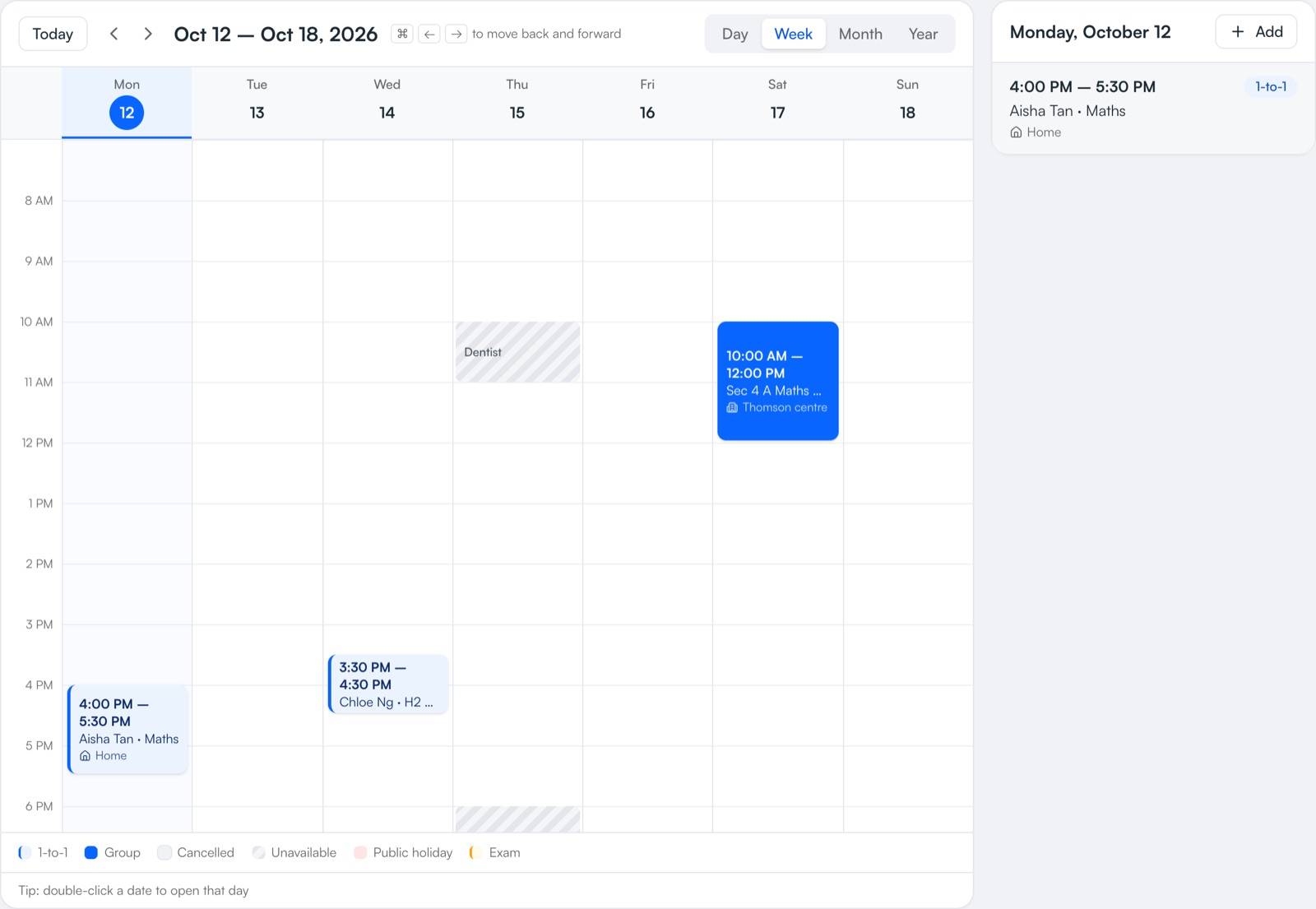
Your whole week, at a glance
See every lesson by day, week, month or year. Book a 1-to-1 or a group class, set it to repeat weekly, every 2 weeks or monthly, and move a lesson with one tap when a student can't make it.
- Day, week, month and year views
- Reschedule or cancel in two taps
- Keyboard shortcuts to flip between weeks
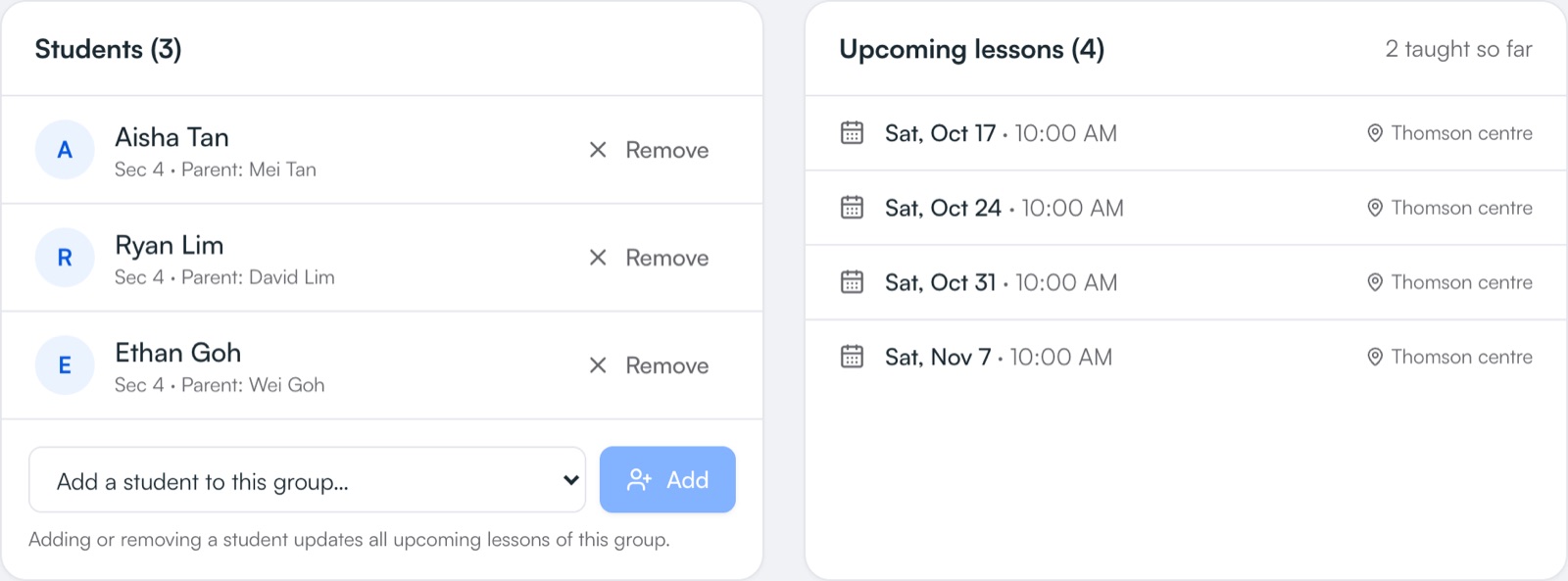
Run group classes without the spreadsheet
Put students into a group once and every upcoming lesson follows. Add a new student and they join all future lessons automatically — change the usual time and the whole term updates.
- One list of students per class
- Joining or leaving updates future lessons
- See lessons taught and coming up
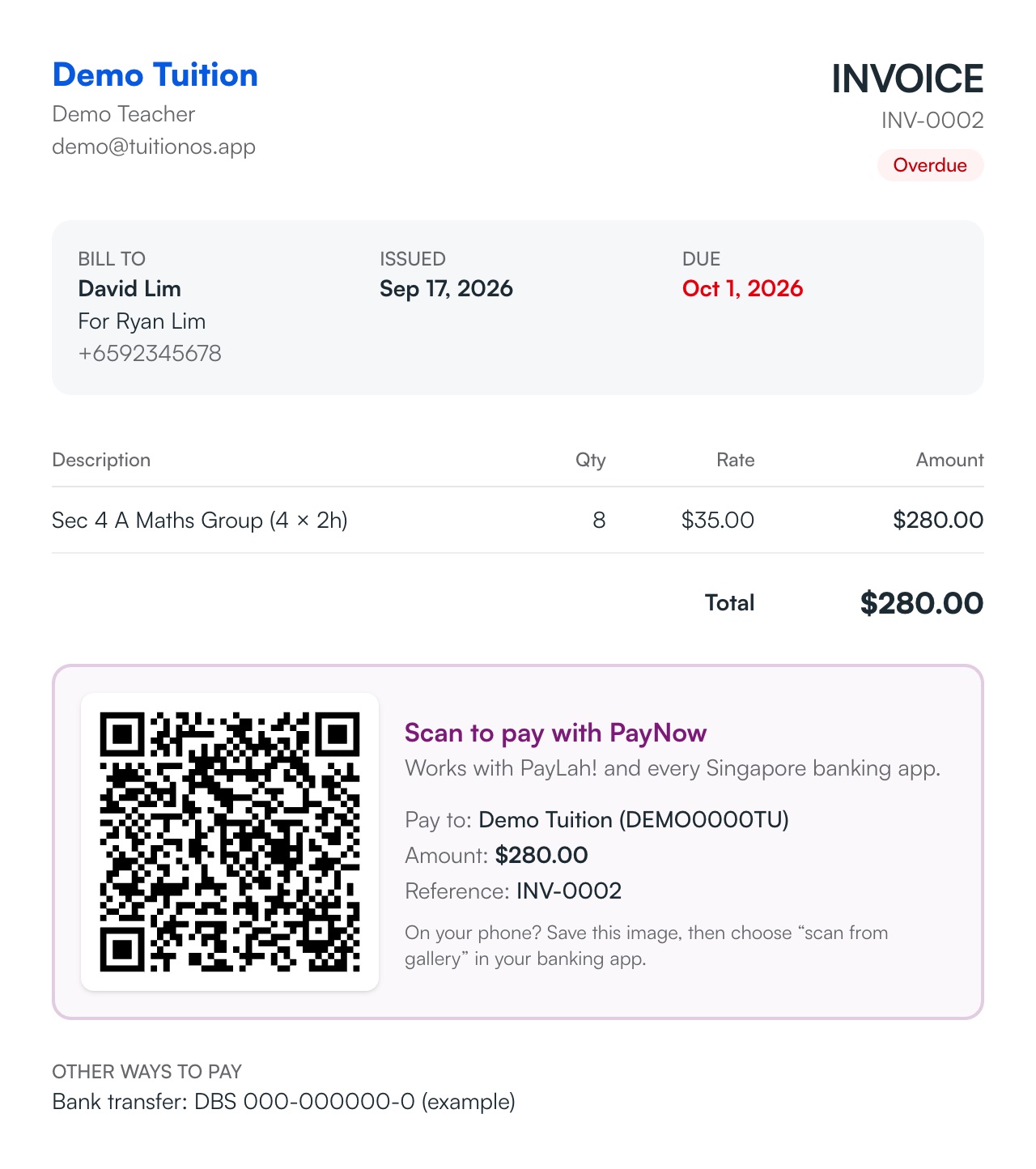
Get paid with a PayNow QR on every invoice
Turn a month of lessons into a clean invoice with your PayNow QR printed on it, amount filled in. Save it as an image and send it to the parent on WhatsApp — they scan and pay in seconds.
- Built from the lessons you actually taught
- QR already has the right amount
- Ready-made WhatsApp message
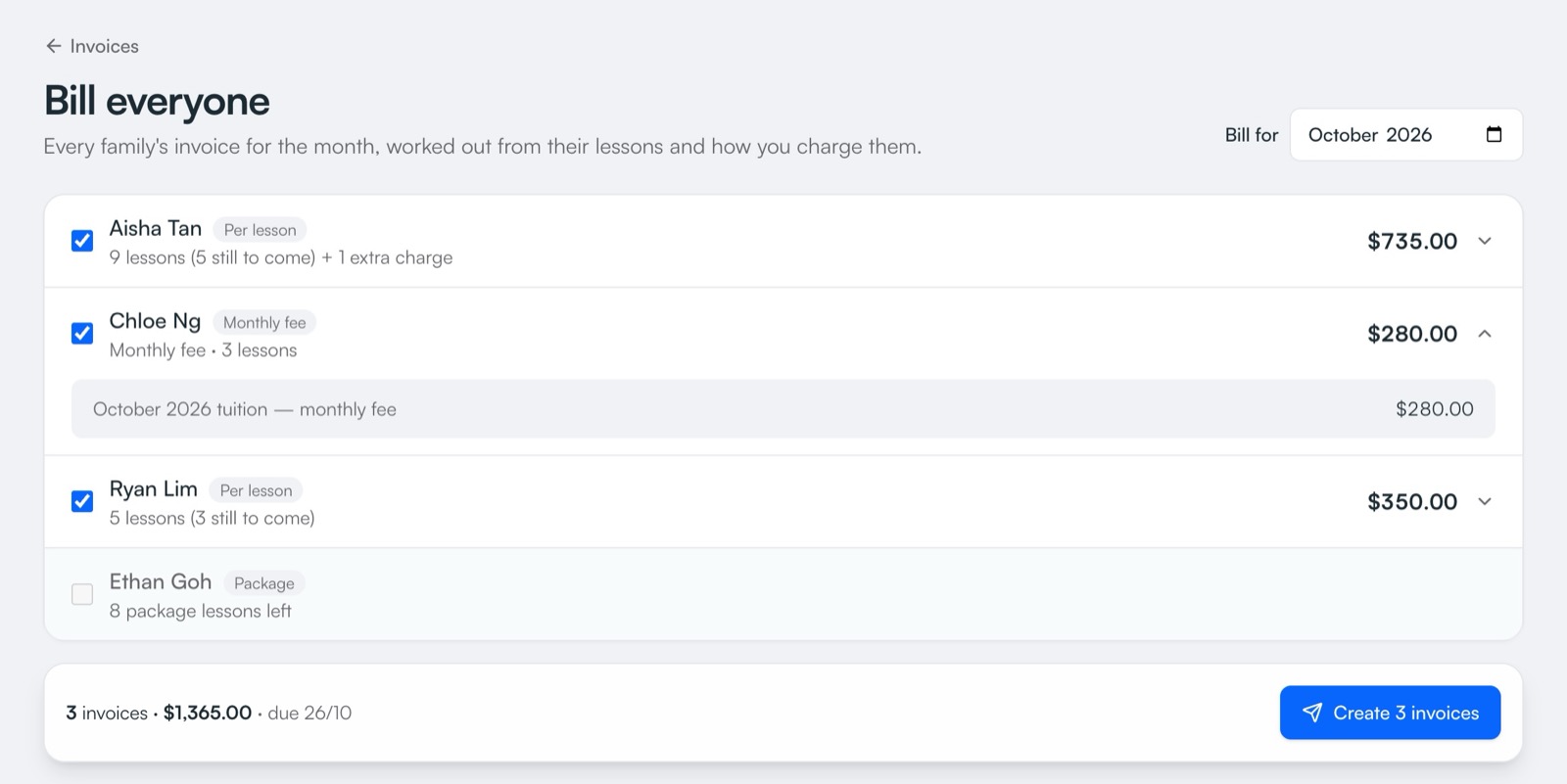
Billing day in five minutes, not an evening
Every family's invoice is worked out for you — per lesson, a flat monthly fee, or packages of lessons, billed monthly, every 2 weeks or every few lessons. Registration fees, materials, deposits and sibling discounts are added automatically. On your billing day you get a reminder: check the list, create them all, then send by WhatsApp or email everyone.
- Monthly, every 2 weeks or every few lessons
- Deposits, refunds, materials and sibling discounts
- Nobody billed twice for the same lessons
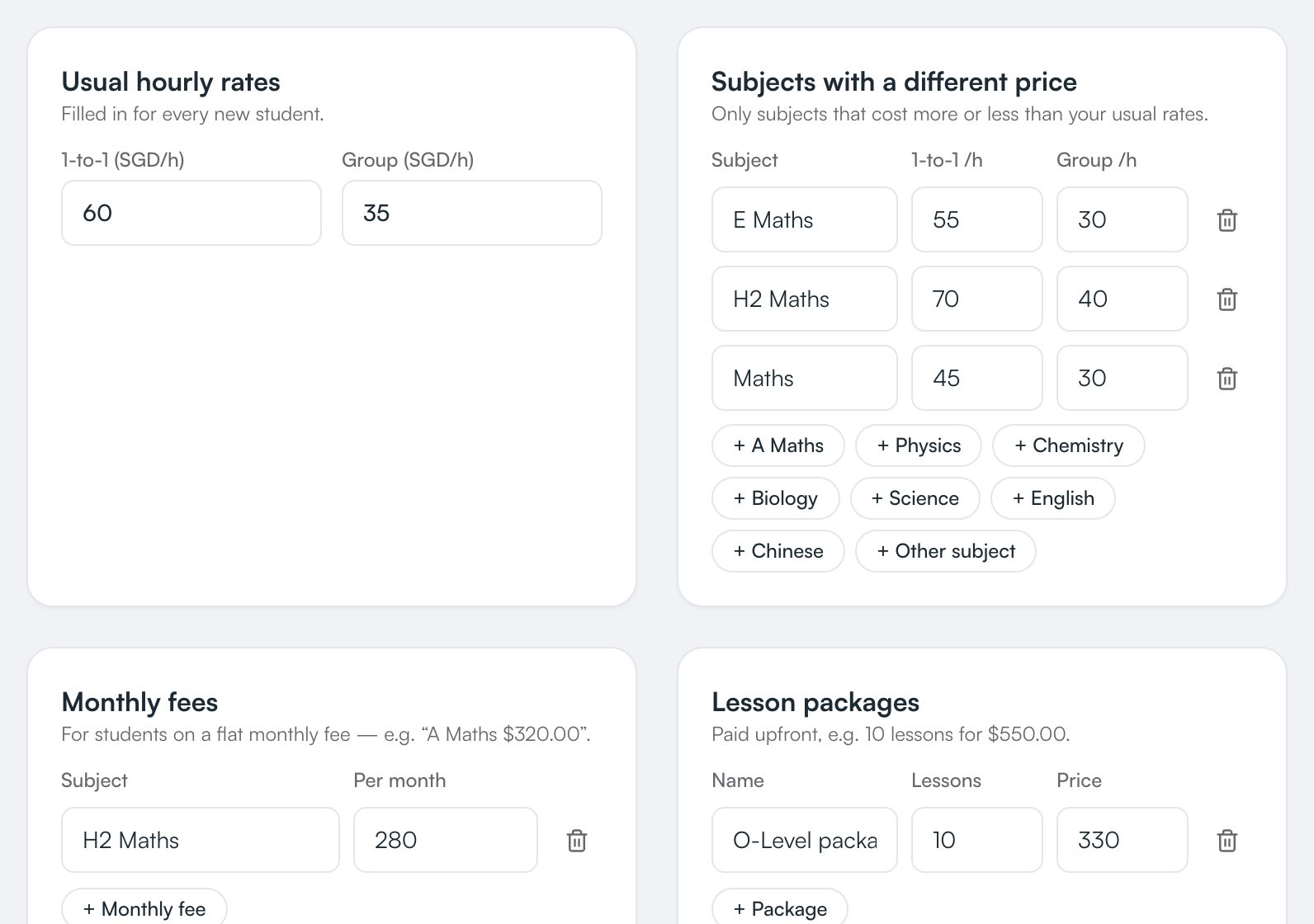
Set your prices once — even per subject
Save your usual rates, subjects that cost more or less, monthly fees, lesson packages and registration fees in one place. They're filled in when you add a student or make an invoice. Raising your prices? You'll see who's still on the old rate and choose who moves.
- A different price for each subject
- Filled in for new students and invoices
- Raise prices and pick who keeps the old rate
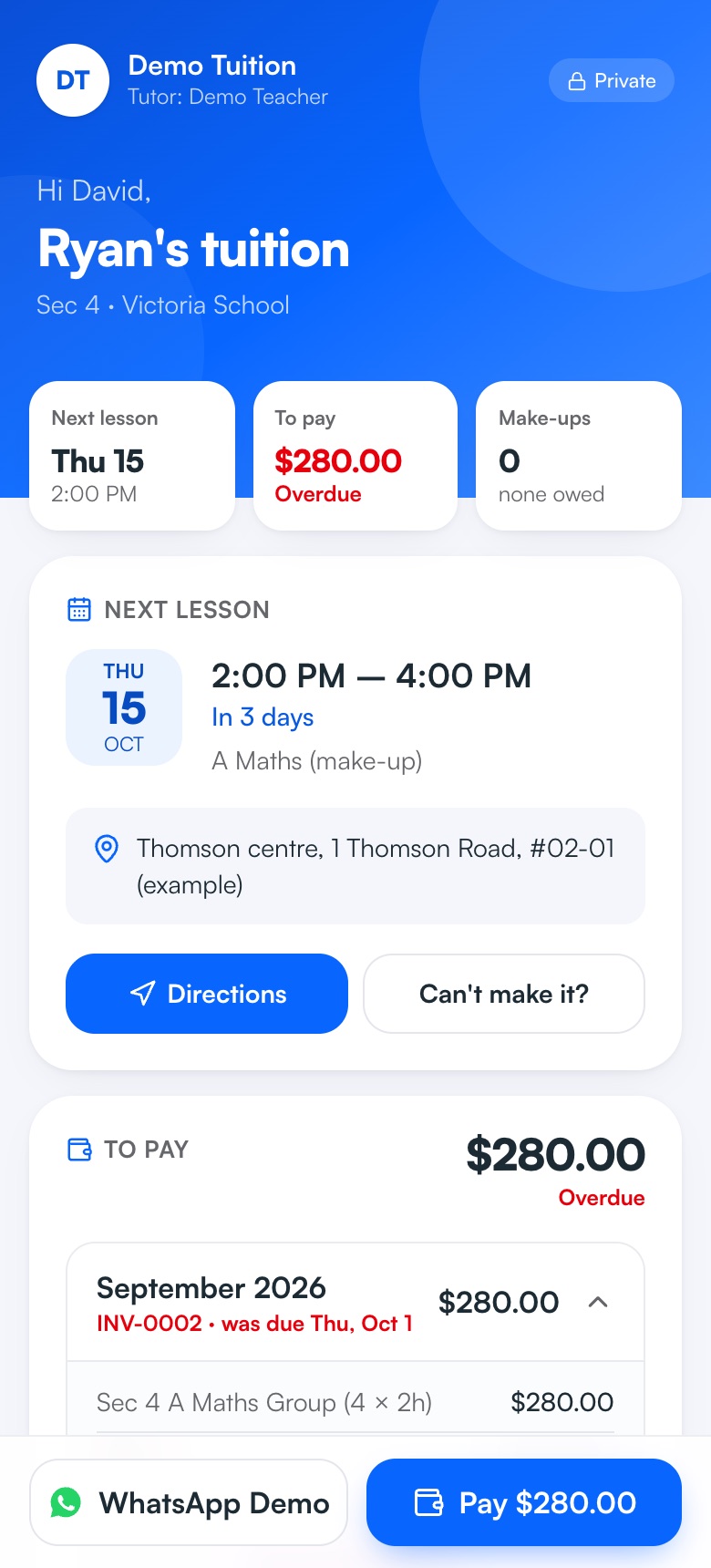
Every family gets their own page
Send parents one private link with everything they ask you about: the next lesson with directions or the Zoom link, invoices with your PayNow QR, make-up lessons and exam countdowns. No app, no password — and it's always up to date.
- Sent by WhatsApp or email in one tap
- Parents tap “I've paid” or “Can't make it?”
- Lessons sync to their phone's calendar
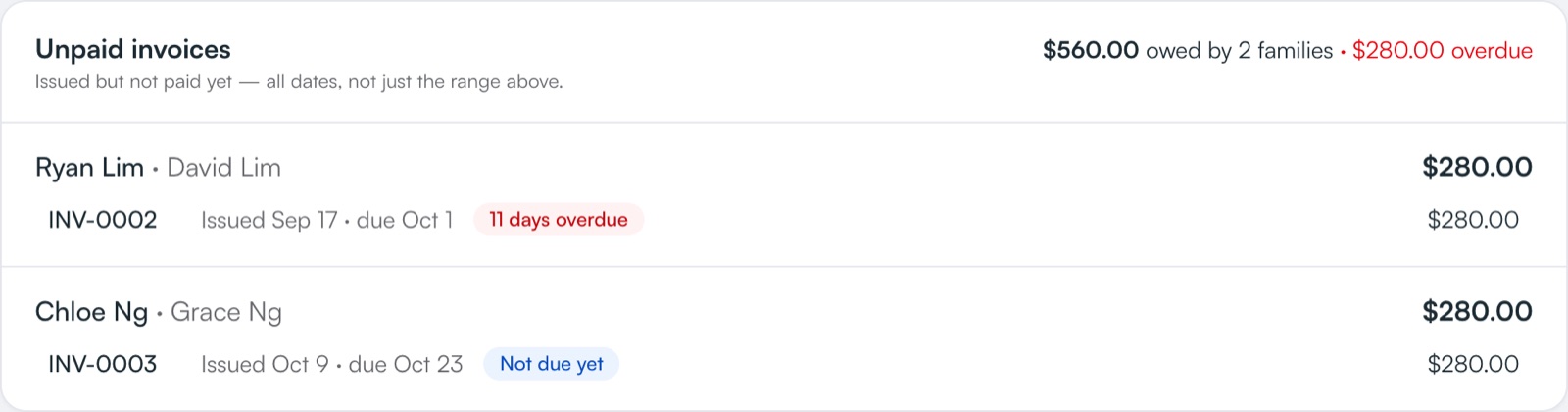
Know exactly who hasn't paid
Overdue invoices are listed in one place with how many days late they are, so you can send a polite nudge instead of scrolling through chats to remember. Search by student or parent to see what one family owes.
- Unpaid and overdue totals
- Search by student, parent or invoice number
- Mark as paid with the day the money arrived
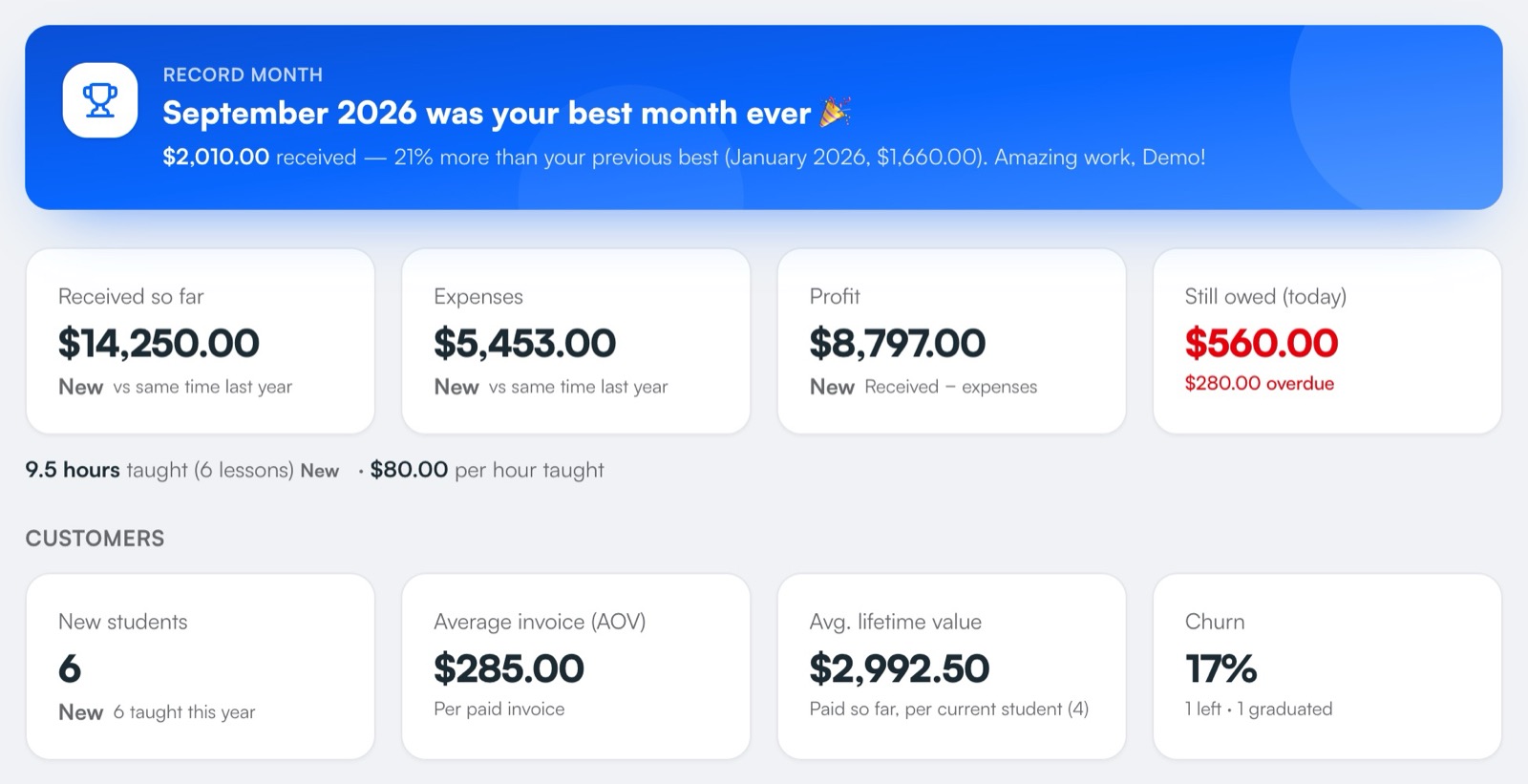
See exactly what you earn — and celebrate record months
Money received by month or year, what's still owed, your expenses and your real profit — each with a green or red arrow against last time. Bought something big, like a car or a laptop? Spread its cost over months or years, so one month doesn't look like a loss. Hit a record month and TuitionCRM celebrates with you.
- Bars, line or table — by year or by month
- Rent, books, transport, agency fees and more
- Spread big purchases over months or years
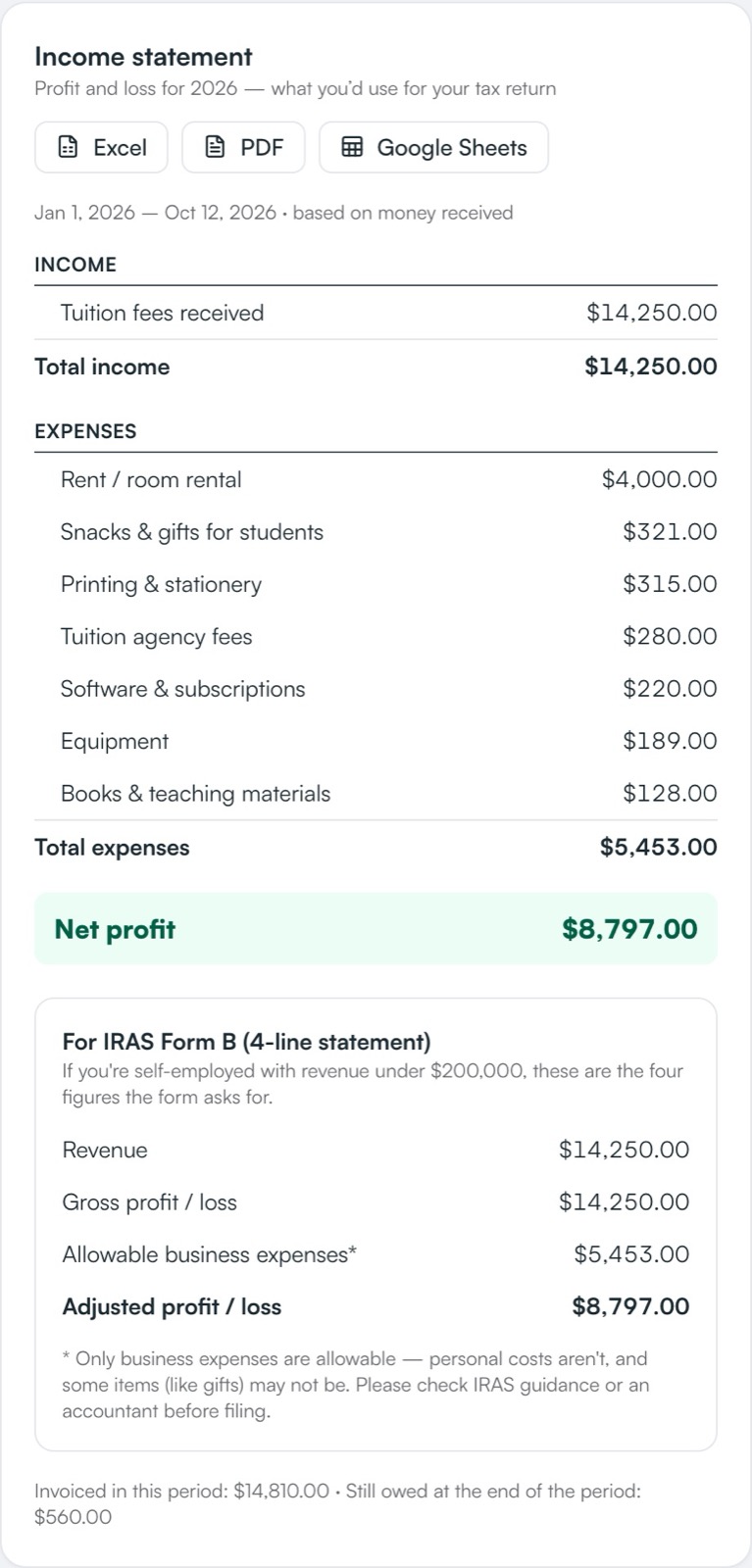
Your income statement, ready for tax season
A clean profit-and-loss statement for any month or year, with the four figures IRAS Form B asks for. Download it to Excel, save it as a PDF, or open it in Google Sheets.
- Income, expenses by category, net profit
- Every payment and expense on separate sheets
- Excel, PDF or Google Sheets in one click
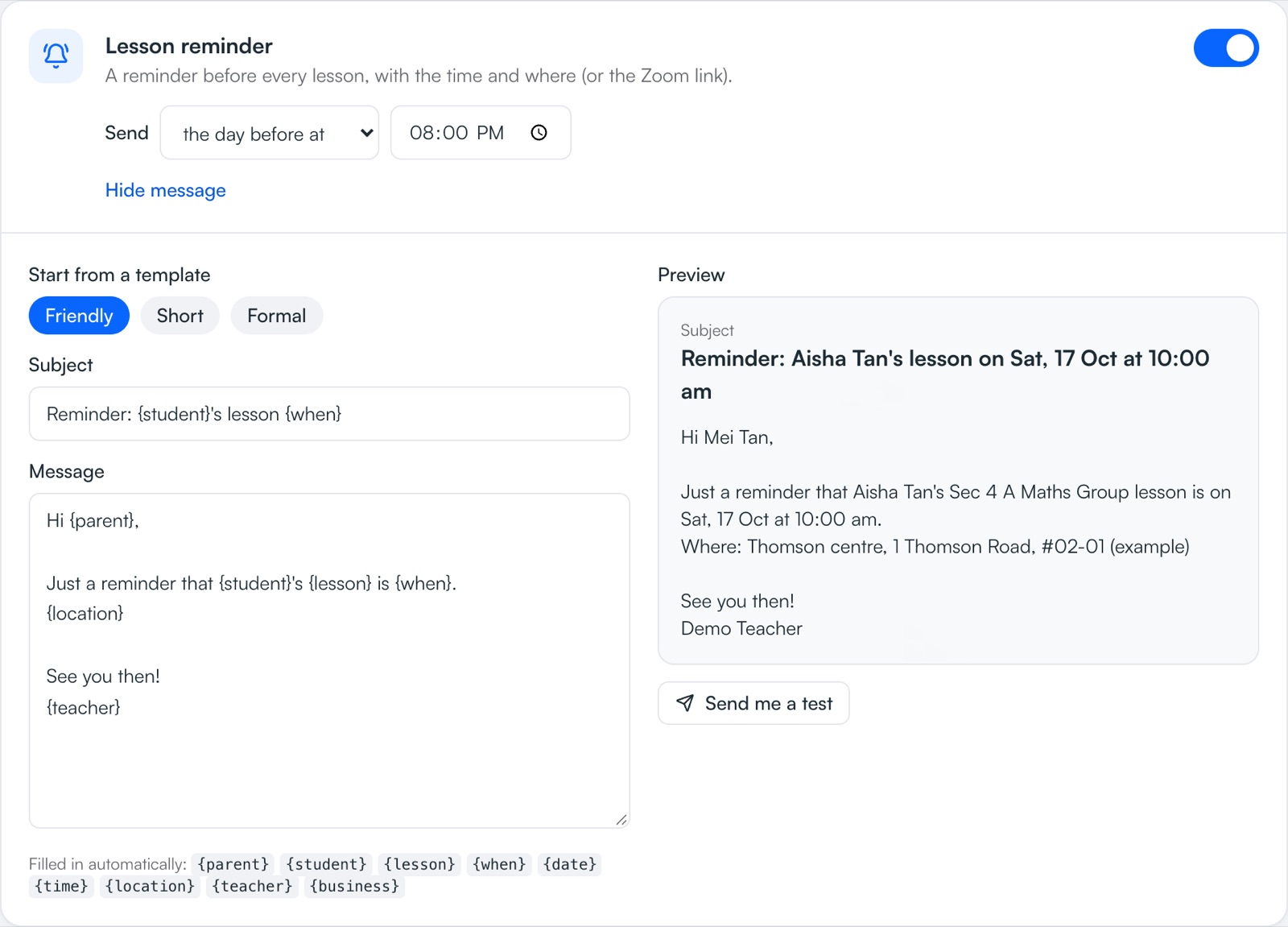
Parents get reminded, so you don't have to
Lesson reminders, welcome emails and polite overdue-payment reminders go out on their own. You choose when they're sent and what they say — and switch them off for any student.
- Overdue reminders with your PayNow details
- Edit every message in plain words
- No chasing if the parent tapped “I've paid”
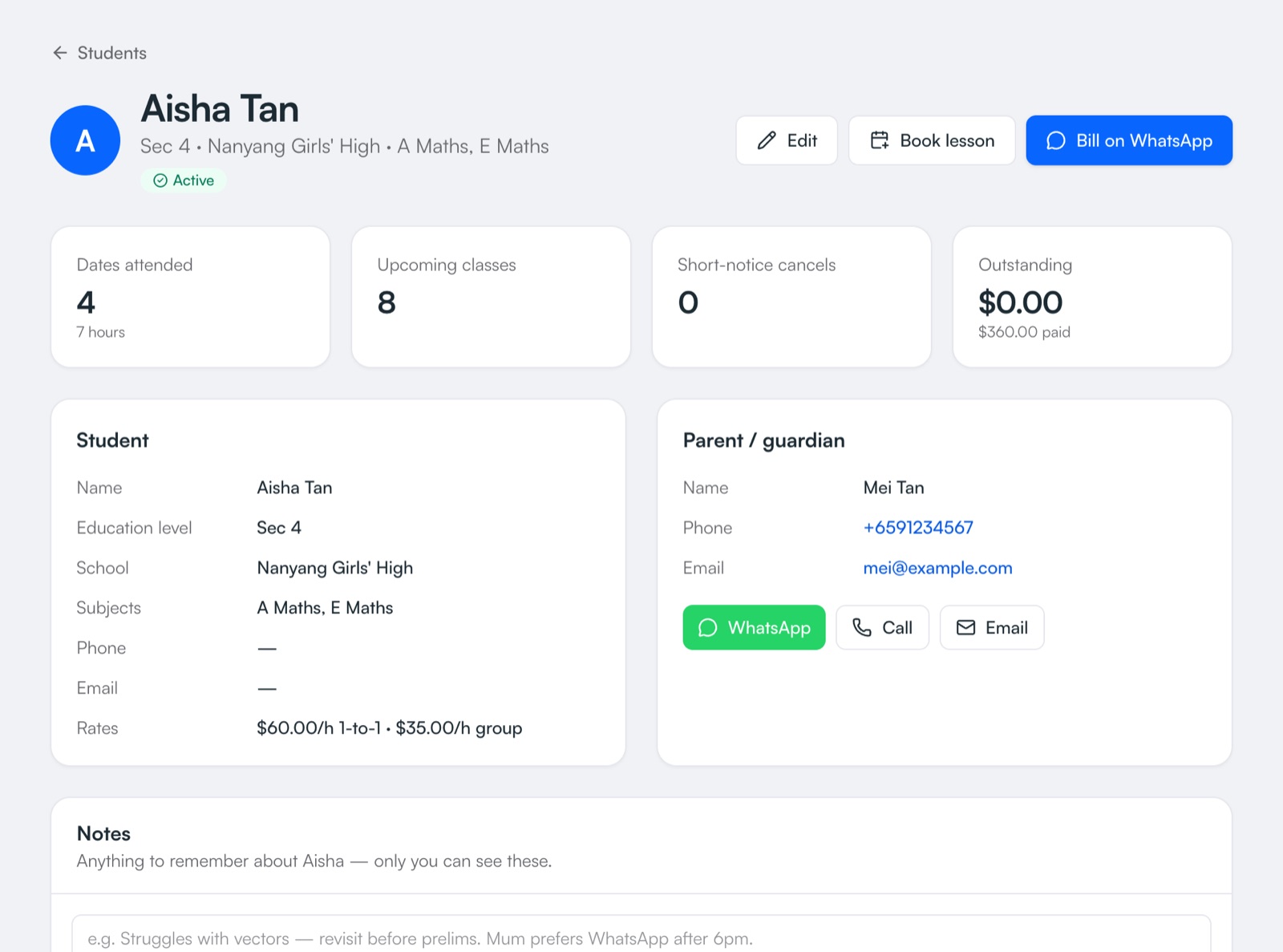
Every student's story in one place
Parent contacts, school, level, attendance, lesson notes and invoices all live on one page. Late cancellations are noted automatically, so nothing is forgotten at the parent meeting.
- Attendance and lesson-by-lesson notes
- Active, churned or graduated
- Book again with the same details
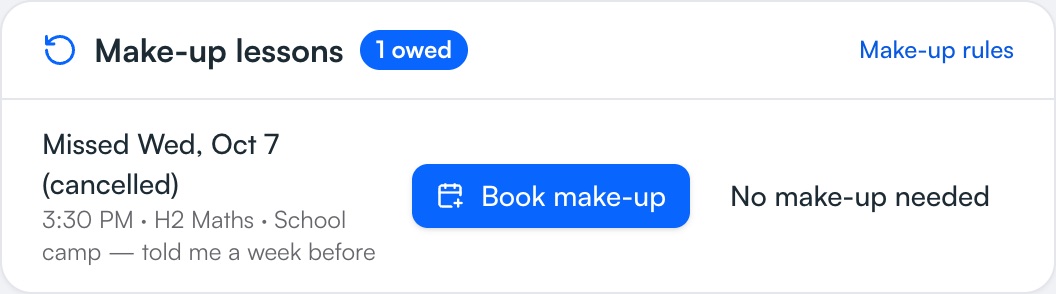
Never lose track of a make-up lesson
When a student cancels, TuitionCRM remembers they're owed a make-up until you book it. If the missed lesson was already charged, the make-up is free — so every lesson is paid for exactly once.
- You choose which cancellations earn a make-up
- Owed make-ups listed on your Overview
- Invoices explain every make-up to parents
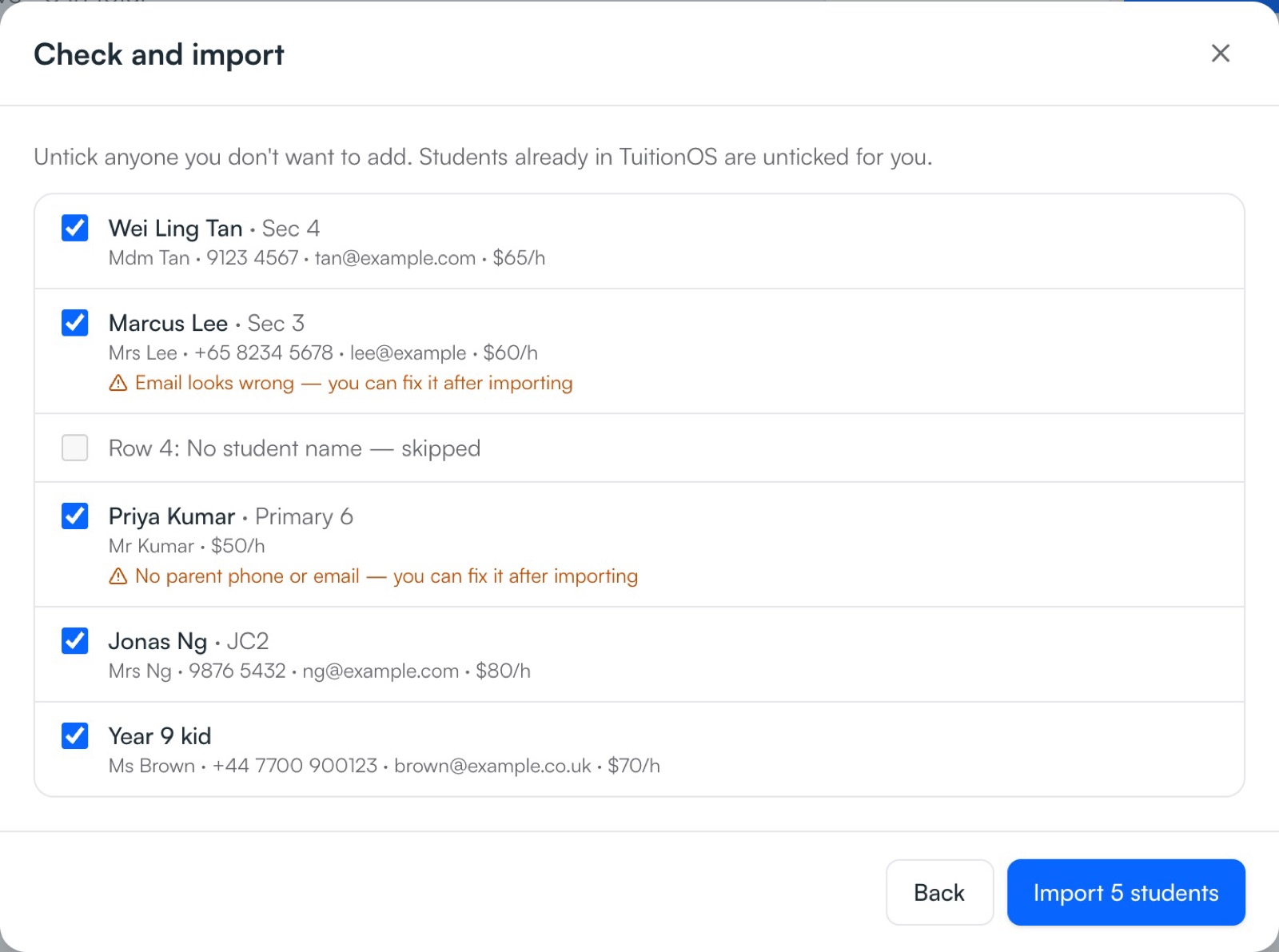
Already have a spreadsheet? Bring it in
Upload your Excel or CSV file, or simply copy and paste from Google Sheets. TuitionCRM matches the columns for you, tidies up levels and rates, and skips anyone already added.
- Works with Excel, Google Sheets and CSV
- “S4” becomes Sec 4, “$65/hr” becomes 65
- Check every student before importing
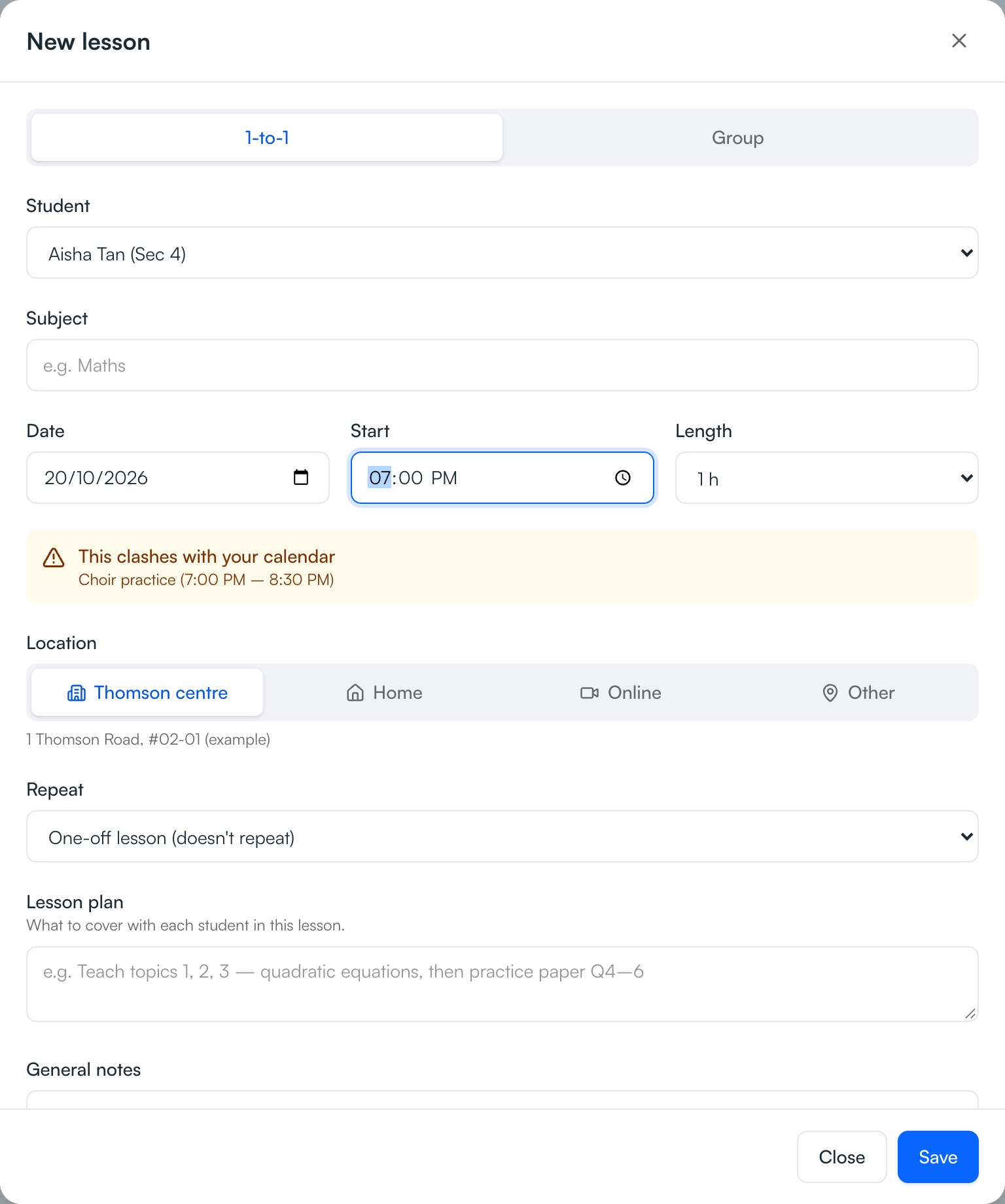
Your calendar and your lessons, together
Your Google, Apple (iPhone) or Outlook plans show up as busy time, so you're warned before double-booking. And your lessons appear in your phone's own calendar — with the student, place or Zoom link — updating by themselves.
- Clash warnings before you save
- Lessons in your phone calendar, with alerts
- Stop syncing any time
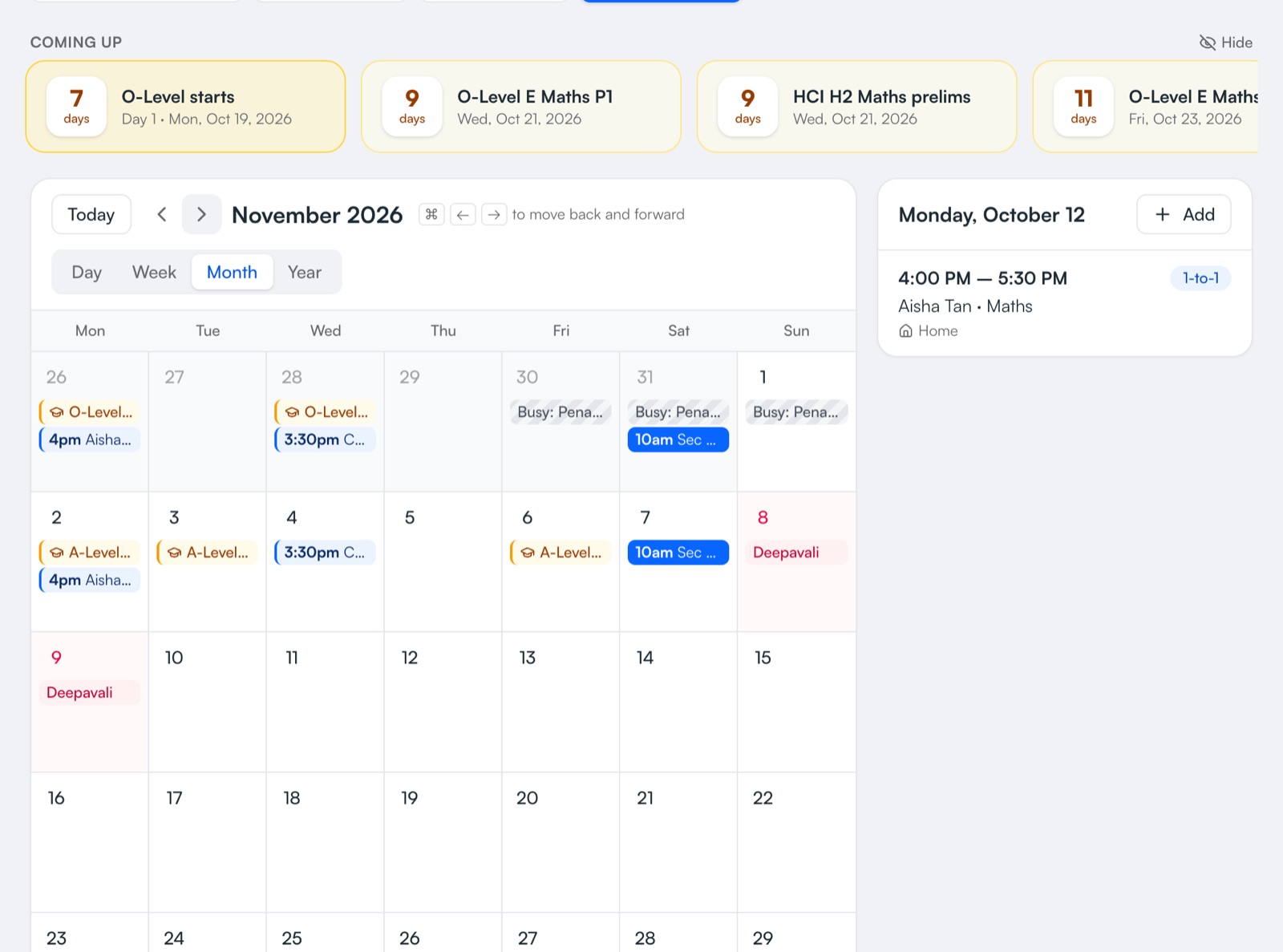
Plan around exams and public holidays
Singapore public holidays and PSLE, O-Level and A-Level paper dates are already on your calendar, with a countdown to the next big exam. Parents see their child's key exam dates on their page too, with the official source.
- SG public holidays filled in for you
- Exam countdowns for you and for parents
- Add school exams for each student
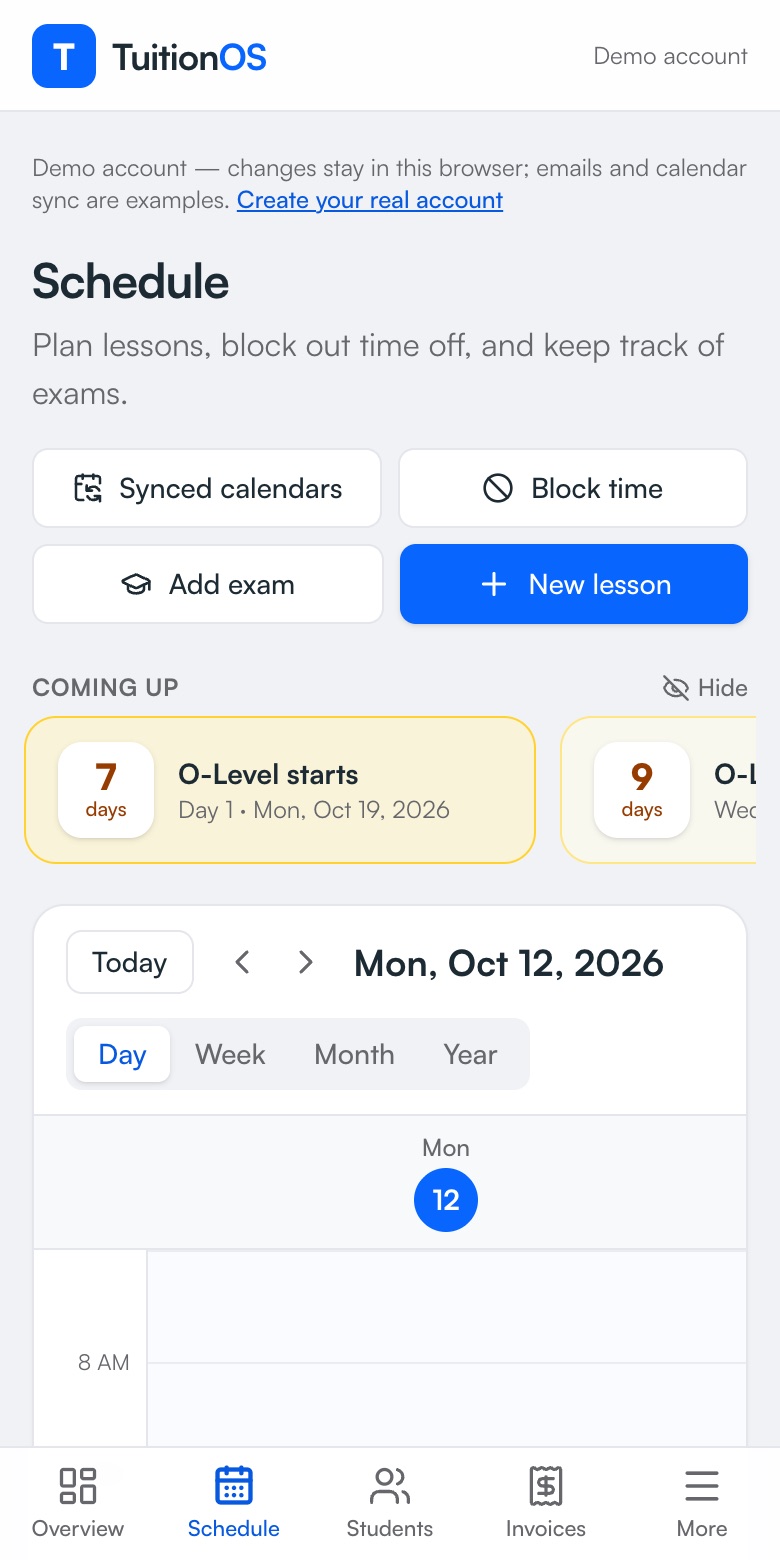
Works just as well on your phone
Check today's lessons between classes, mark attendance, or send an invoice from your phone. Everything stays in sync with your computer — and if the signal drops, keep working: your changes are saved as soon as you're back online.
- Made for small screens
- Phone and computer stay in sync
- Keeps working without a signal
Up and running in an afternoon
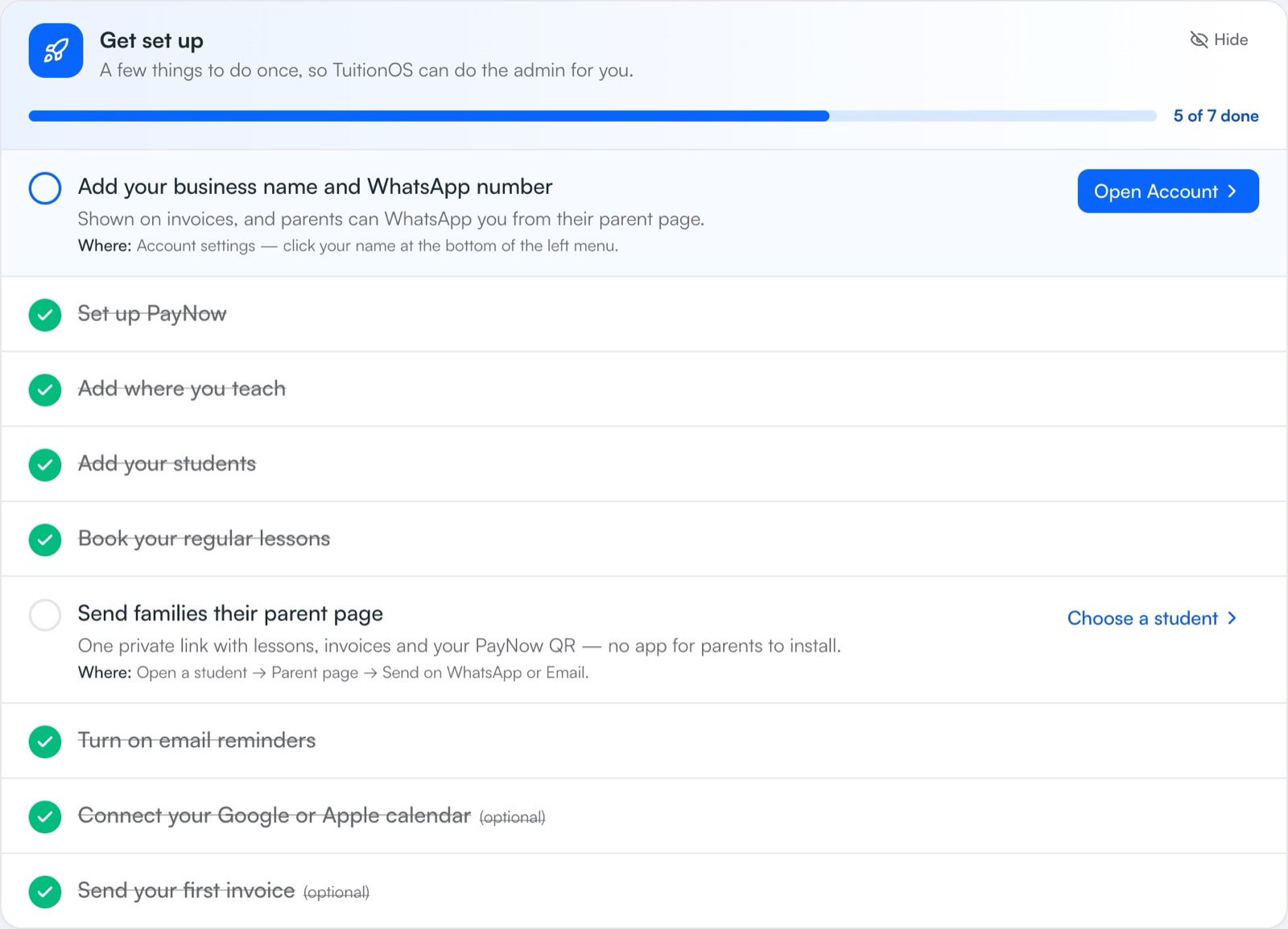
A built-in setup checklist shows you exactly what to do next — and where to find it. It ticks itself off as you go.
- 1
Add your students
Parent contacts, school, level and your rates — then send each family their page.
- 2
Book your regular lessons
Set weekly classes to repeat, so you only book them once.
- 3
Invoice & get paid
Invoices build themselves from your lessons, with your PayNow QR.
Have teachers at your centre? Give each one their own schedule.
Add your teachers and assign them students and classes. Each teacher gets a private link to their own lessons — no more screenshotting the timetable into WhatsApp every week.
- Assign a student or class to a teacher once — new lessons go to them automatically
- A private schedule link for every teacher that updates by itself, and adds to their phone calendar
- See any teacher's timetable, students and hours in one tap
- Clash warnings only when the same teacher is double-booked
- Parents' contact details and your fees stay private
Bright Minds Tuition Centre
Mr Lim's schedule
Today · Tuesday, 14 October
4:00 – 5:30 PM
GroupSec 4 A Maths Group
Aisha, Ben, Chloe, Daniel
6:00 – 7:00 PM
1-to-1Ryan · H2 Maths
Room 2
Need something? We'll build it for you.
TuitionCRM started as a tool for a maths tutor who has taught for more than 10 years and did everything by hand. Every feature here came from real tutoring days — and yours can be next. Tell us what would save you time and you'll hear straight back from the developer.
Request a feature
No ticket queues. Your idea goes straight to the person who builds the app.
Spend your evenings teaching, not doing admin.
Join tutors who run their classes with TuitionCRM. Free to start.
Create your free account